 how-to
How to Automate XAUUSD Trading: A 2026 Setup Guide
Table of Contents
- How Automated Gold Trading Works
- How to Set Up MetaTrader 5 for Automated Trading
- Choosing and Configuring a XAUUSD Expert Advisor
- XAUUSD Risk Management for Automated Systems
- Backtesting and Forward-Testing Your XAUUSD Trading Bot
- Automating XAUUSD Execution: From Setup to Live Trading
- Realistic Performance, Scams, and Verification
- Frequently Asked Questions
Last Updated: October 19, 2026
How Automated Gold Trading Works
Automated gold trading uses algorithms and software to automate XAUUSD trading without constant manual monitoring, identifying signals and placing orders based on predefined rules.
This eliminates emotional decision-making: when prices move, your bot acts instantly, with no hesitation or second-guessing.
The core mechanism: your bot monitors real-time data, opens a position when entry conditions are met, closes it when exit conditions trigger, and uses stop-loss and take-profit levels to cap losses.
Trade signals and execution
Trade signals are the specific conditions that tell your bot to enter or exit a position, such as moving averages, RSI levels, or price action patterns.
Automated execution means your bot places the order instantly. For XAUUSD, speed matters: gold volatility can move prices rapidly, and a slow manual response costs money.
Most trading platforms execute orders within milliseconds once the signal triggers. This precision is impossible to replicate manually.
Why volatility matters in XAUUSD automation
Gold is volatile, swinging sharply on economic releases, CPI data, bond yields, and geopolitical events, creating both opportunity and risk for automated systems.
Automated trading handles volatility better than humans: your bot doesn't panic during sharp moves and follows its rules consistently.
The key is designing your bot with volatility in mind. Tighter stop-loss levels. Smaller position sizes.
How to Set Up MetaTrader 5 for Automated Trading
MetaTrader 5 is the industry standard platform for automated XAUUSD trading, natively supporting expert advisors, copy trading, and algorithmic execution.
Setting up MT5 for automated trading takes about 30 minutes: account setup, broker selection, and configuring your automation method.
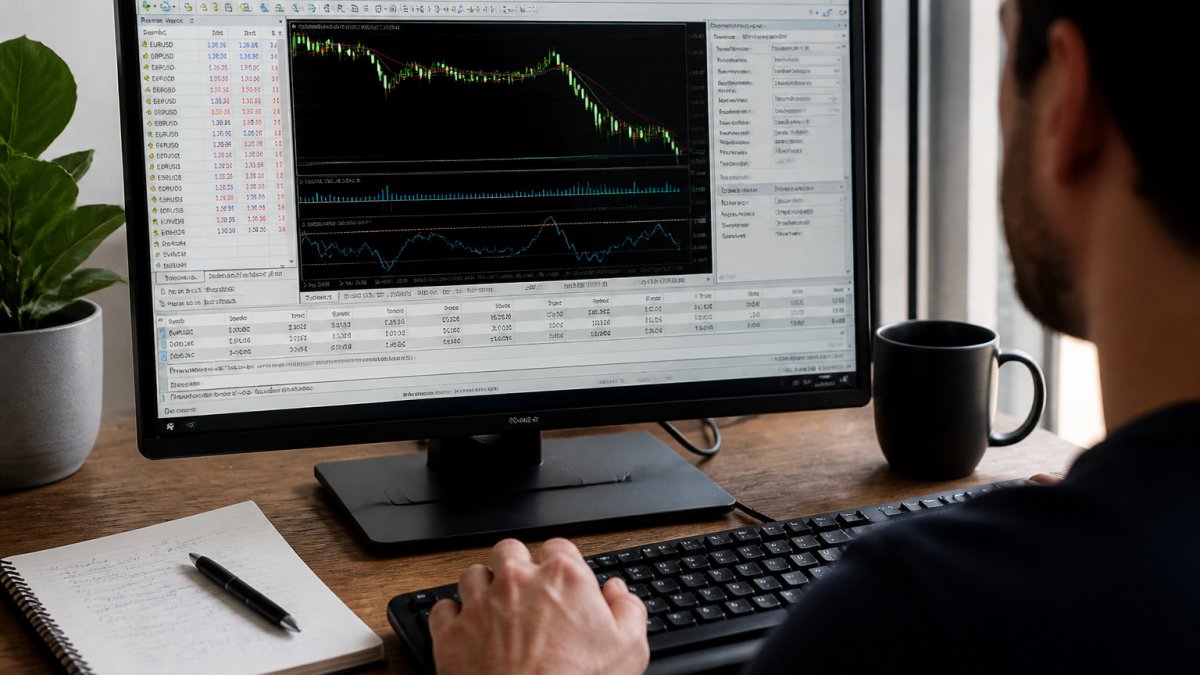
Account setup and broker selection
Open a MetaTrader 5 account with a regulated broker. Broker choice matters: not all execute XAUUSD trades equally, and some have wide spreads or slippage during volatile sessions.
Look for brokers that offer:
- Low spreads on XAUUSD (ideally under 0.5 pips)
- Fast execution speeds
- Reliable real-time data
Once you've chosen your broker, download MetaTrader 5 and log in with your account credentials. Your account is now live and ready for automation setup.
Configuring copy-trading or expert advisor settings
MetaTrader 5 offers two main automation paths: copy trading or expert advisors.
Copy trading mirrors trades from a professional account into yours in real-time, while you maintain full control.
Expert advisors are automated programs that run on your MT5 platform, analyzing markets, generating signals, and executing trades.
For XAUUSD specifically, copy trading is often the better choice.
Choosing and Configuring a XAUUSD Expert Advisor
If you prefer expert advisors, evaluate carefully: many fail live despite strong backtesting results.
The ones that survive real market conditions share common traits: realistic entry/exit logic, strict risk controls, and transparent performance tracking.
Evaluating strategy rules and entry/exit conditions
A solid XAUUSD expert advisor has clear, testable rules. You should understand exactly when it enters and exits trades; if the description is vague, avoid it.
Entry conditions might include:
- Technical indicator crossovers (moving average above/below price)
- Price action patterns (support/resistance breaks)
- Economic calendar triggers (before/after major releases)
Exit conditions are equally important. Your bot should close positions based on:
- Take-profit levels (fixed or dynamic based on volatility)
- Stop-loss triggers (protecting against excessive losses)
- Time-based exits (closing after X hours or days)
The best strategies combine multiple exit conditions. This prevents the bot from holding losing trades too long or exiting winners too early.
Comparing algorithmic systems and AI-powered trading options
Algorithmic systems use predefined rules. They're transparent and predictable. You know exactly what the system does in any market condition.
AI-powered trading uses machine learning to adapt to changing conditions, claiming to improve over time.
For XAUUSD trading, algorithmic systems with proven track records outperform AI systems with flashy marketing. Transparency beats complexity. Verifiable results beat promises.
XAUUSD Risk Management for Automated Systems
Risk management separates profitable traders from broke ones: without strict controls, even a good strategy eventually blows up.
Automated systems require predefined risk rules that protect your account in all scenarios, you can't adjust position size mid-trade on a "gut feeling."
Position sizing, stop-loss, and use controls
Position size determines how much of your account is risked on each trade. The standard rule is risk 1-2% of your account per trade.
For XAUUSD, calculate position size based on:
- Account balance
- Risk percentage (1-2% recommended)
- Stop-loss distance in pips
Stop-loss levels must be set before entering trades. Never enter a position without a defined exit point.
Use amplifies both gains and losses. A 10:1 use means a 10% move against you wipes out your account.
Drawdown limits and recovery protocols
Drawdown is the peak-to-trough decline in your account value. Every strategy experiences drawdowns. The question is how large they get and how long recovery takes.
Set maximum drawdown limits before trading live. If your account hits 15-20% drawdown, stop the bot and review what happened. Was it normal volatility or strategy failure?
Recovery protocols define how you'll rebuild after losses. Don't immediately ramp up position sizes trying to recover quickly. That's how traders blow up accounts. Instead:
- Reduce position size by 50% after hitting max drawdown
- Run demo testing to confirm the strategy still works
- Resume live trading at reduced size only after demo confirms stability
Backtesting and Forward-Testing Your XAUUSD Trading Bot
Backtesting shows how your strategy performed on historical data. Forward testing shows how it performs on new data in real-time. Both are essential before risking real money.
Most traders overestimate backtesting results: a strategy that looks perfect on historical charts often fails when real conditions change. This is overfitting.
Historical backtesting methodology and realistic expectations
Backtest your XAUUSD strategy on at least 2-3 years of historical data. Use data that includes multiple market regimes: trending periods, ranging periods, and volatile shocks.
Key metrics to review:
- Total return (profit/loss)
- Win rate (percentage of winning trades)
- Profit factor (total wins divided by total losses)
- Maximum drawdown (largest peak-to-trough decline)
Realistic backtesting results for XAUUSD typically show:
- Win rate between 50-70%
- Profit factor above 1.5 (earning $1.50 for every $1 lost)
- Maximum drawdown between 10-25%
If backtesting shows unrealistic results (90% win rate, 50% monthly returns), the strategy is likely overfit. It works on historical data but will fail live.
Demo account testing and live account transition
After backtesting, run your bot on a demo account for 2-4 weeks.
Track demo results carefully. Compare them to backtesting results. If demo performance is significantly worse, investigate why. Wide spreads during volatile sessions? Slow execution speeds?
Once demo testing confirms the strategy works, transition to a live account with minimal position sizes. Start with 1-2 micro lots.
Automating XAUUSD Execution: From Setup to Live Trading
Moving from setup to live trading when you automate XAUUSD trading requires careful attention to technical and operational details. Small mistakes compound into account losses.
The transition process typically takes 2-3 weeks if you follow each step properly. Rushing this phase is where most traders fail.
Automated order execution and real-time monitoring
Automated order execution means your bot places trades without your approval. This requires absolute confidence in your system. Never enable live automation until you've completed demo testing.
Real-time monitoring is still essential: you're not "set and forget", you're checking the bot's behavior, spreads, and execution speeds.
Check your trading account daily:
- Review trades executed since yesterday
- Verify that entry/exit prices match expected levels
- Confirm that stop-losses and take-profits are placed correctly
- Monitor account balance and drawdown percentage
Most automation failures happen because traders ignore their accounts. They enable the bot, disappear for weeks, then find a 40% drawdown or a bot that stopped executing due to a connection issue.
Common setup mistakes and how to avoid them
The most common mistakes happen during the transition from demo to live:
Mistake 1: Wrong broker settings. Different brokers have different XAUUSD contract specifications. Verify that your bot is configured for your specific broker's XAUUSD contract. Using wrong settings causes position sizing errors.
Mistake 2: Inadequate capital. Your account size must match your position sizing calculations.
Mistake 3: Unstable internet connection. Your bot needs reliable connectivity.
Mistake 4: Ignoring market hours. XAUUSD trades 23 hours per day, but liquidity and volatility vary by session.
Mistake 5: Over-optimizing parameters. Tweaking your bot's settings based on recent performance usually makes things worse.
Realistic Performance, Scams, and Verification
Verification is your only defense. Demand proof from independent sources, not the vendor's website.
Realistic XAUUSD automated trading returns are 10-30% annually with drawdowns under 20%.
Scams typically use these tactics:
- Showing only winning trades (hiding losses)
- Using unrealistic use in backtests
- Claiming "proprietary AI" that can't be verified
- Offering money-back guarantees they never honor
Before committing money, verify performance through independent sources.
SonicAi Gold publishes verified performance on MyFXBook.
Automating XAUUSD trading works. But it only works if you approach it systematically.
Get started with SonicAi Gold and access an automated XAUUSD strategy designed for consistent, verifiable returns.
| Setup Phase | Duration | Key Action |
|---|---|---|
| Account & Platform Setup | 30 minutes | Choose broker, download MT5, configure settings |
| Backtesting | 1-2 weeks | Test strategy on 2-3 years historical data |
| Demo Testing | 2-4 weeks | Run bot on demo account, track results |
| Live Transition | Week 1-2 | Start with 1-2 micro lots, verify execution |
| Full Operation | Ongoing | Daily monitoring, monthly performance review |
MetaTrader 5 platform documentation and automated trading setup
MyFXBook independent account verification and performance tracking
Financial Industry Regulatory Authority guidance on automated trading systems
Frequently Asked Questions
How do I know if an automated XAUUSD trading system is legitimate and not just hype?
Look for independent third-party verification on platforms like MyFXBook, which displays audited performance metrics including win rate, drawdown, and profit factor. Legitimate systems publish real account statements with dates, trade-by-trade records, and broker confirmation. Avoid claims with only backtested results or screenshots without third-party links. Ask for demo account access before committing real capital, and verify the broker's regulatory status. Systems claiming "risk-free" or "guaranteed returns" are red flags, gold volatility makes no strategy immune to losses.
Can I automate XAUUSD trading if I don't have technical experience with MetaTrader 5?
Yes. MetaTrader 5 copy-trading features let you mirror trades automatically without writing code. You need to: open a funded account with a regulated broker, enable automated trading in platform settings, and link to a signal provider or expert advisor. The setup typically takes 15-30 minutes. If using a third-party automated service like copy-trading, the provider handles most technical steps. However, you should still understand basic concepts like position size, leverage, and stop-loss levels to avoid costly mistakes.
What's the difference between backtesting and forward-testing an automated XAUUSD trading bot?
Backtesting runs your strategy on historical price data to see how it would have performed in the past. Forward-testing (also called paper trading or demo testing) runs the strategy in real time on a demo account with virtual money, using live market data and actual execution speeds. Backtesting can show overfitting, strategies that worked perfectly on old data but fail on new data. Forward-testing reveals real-world issues like slippage, spread costs, and emotional discipline. Always forward-test for at least 20-50 trades on a demo account before using real capital.
What XAUUSD risk management rules should I set before automating my trading?
Set three core controls: (1) Position size, risk no more than 1-2% of your account per trade; (2) Stop-loss, define maximum loss per trade (typically 20-50 pips for XAUUSD); (3) Drawdown limit, set a threshold (e.g., 5-10%) where the system pauses if losses exceed it. Also configure leverage carefully; XAUUSD volatility can trigger margin calls quickly. Enable automated order execution only after testing these limits on a demo account. Monitor performance weekly, not daily, to avoid emotional overrides during normal volatility.